Sulthonika M.

Portfolio

0%
SURABAYA, INDONESIA

Internship Project · August – December 2026

Ongoing

MSDC ERP Mobile — JTV

I built eight Manager workspaces and the attendance flow for MSDC ERP Mobile, integrated the app with JTV’s ERP website, and coordinated the team’s work through mentor review.

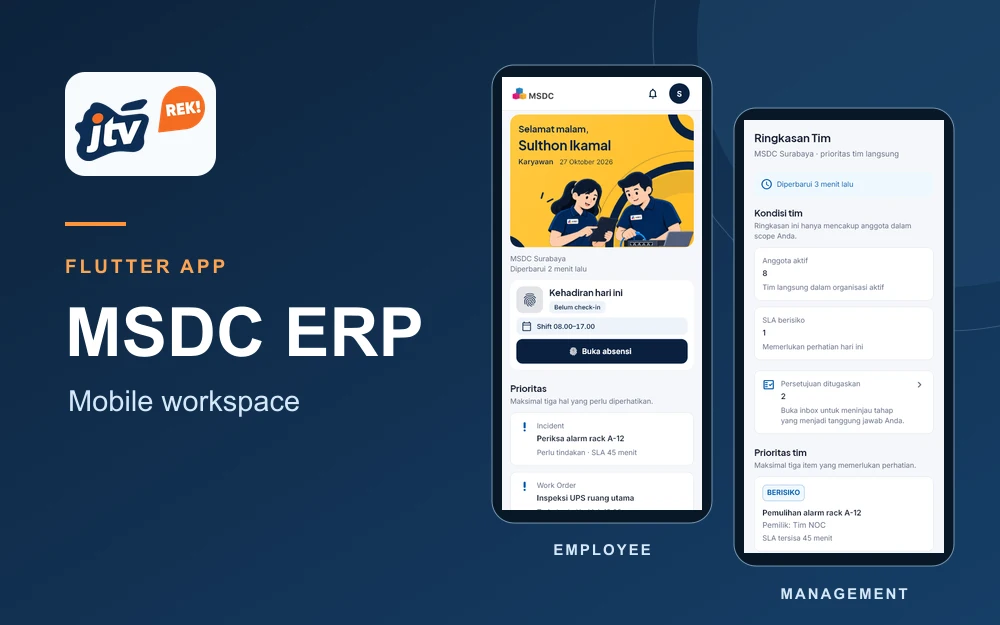
JTV logo and previews of the employee and manager workspaces in MSDC ERP Mobile.

My contribution

Every Manager workspace

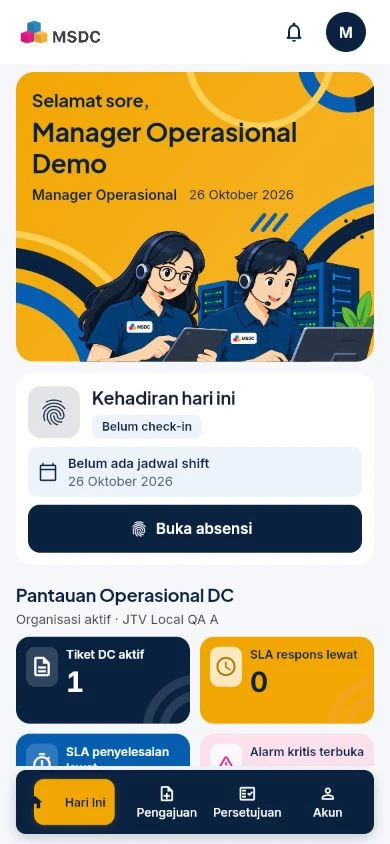
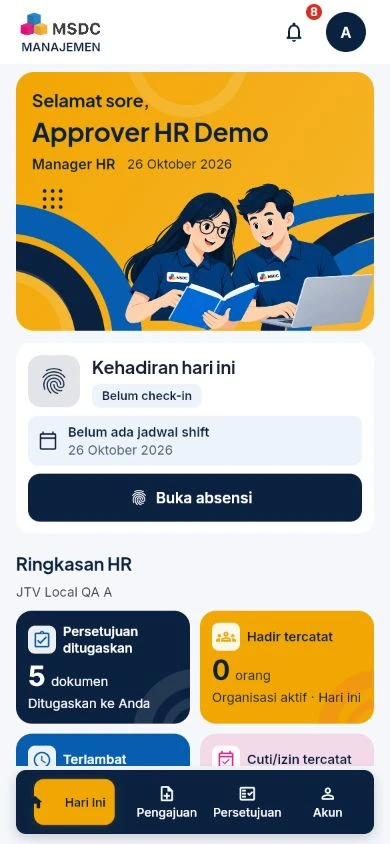
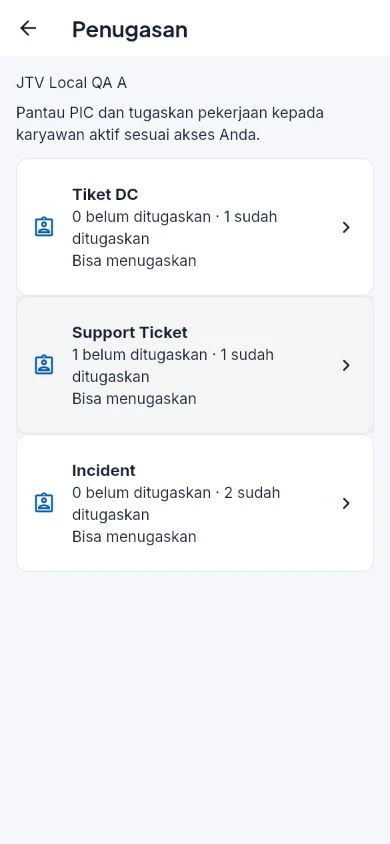
I built the Manager home screens and navigation for Requests, Approvals, and Account. Personal requests cover leave, time off, attendance corrections, and overtime. Operations and Sales managers also have access to team assignments based on their permissions.

  • Operations
  • Sales/CRM
  • Finance
  • HR
  • GA
  • Procurement
  • Warehouse/Assets
  • Legal

Attendance and shift schedules

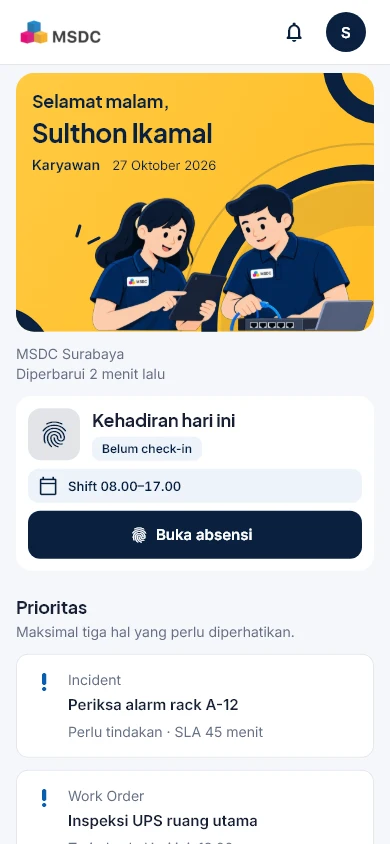
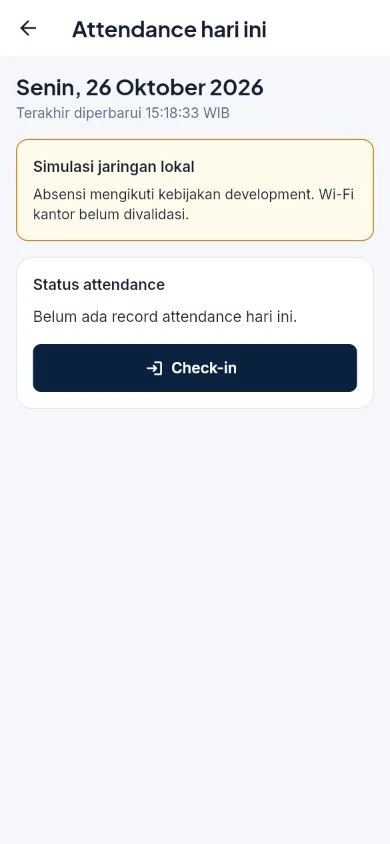
I connected attendance status and shift schedules on the home screen to check-in and check-out. I tested network restrictions, overnight shifts, and retries after a lost connection to prevent duplicate attendance records.

Team assignments and mentor coordination

I assigned development work across the team, sequenced tasks around dependencies, and reviewed the integrated work. I reported progress, test findings, and decisions that needed mentor review at each milestone.

Executive dashboard

I built the executive summary and dedicated CRM & Sales and Data Center Operations views so executives could see business indicators and operational issues on their phones.
From an employee request to a manager’s decision

Employees needed to know where a request stood after they submitted it. Managers needed to see which requests were waiting for their decision. We organized the screens around the decisions each user had to make, including the indicators and priority issues executives needed to see.

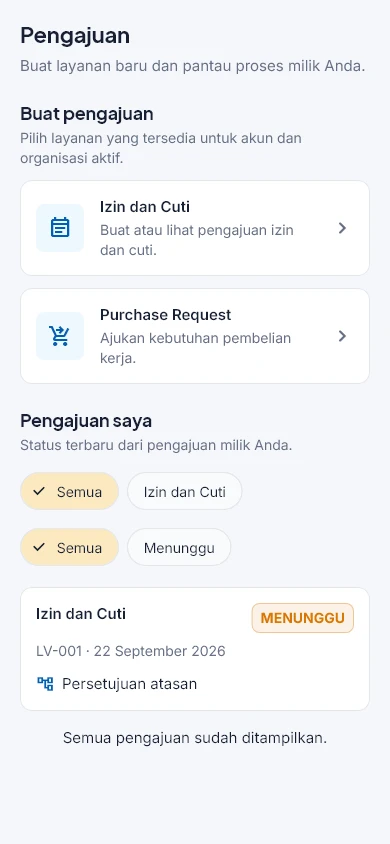
  1. An employee opens Requests, selects Leave and Permissions, and completes the form with supporting evidence where required.
  2. After submitting, the employee opens My Requests to see the current status and approval stage.
  3. The manager opens the approval inbox to review requests assigned to them.

Integration with JTV’s ERP website

The Flutter app and ERP website use the same Laravel backend. I compared document references, statuses, and approval stages when testing requests. Local API checks also matched attendance record IDs and check-in and check-out times in the data used by both platforms.

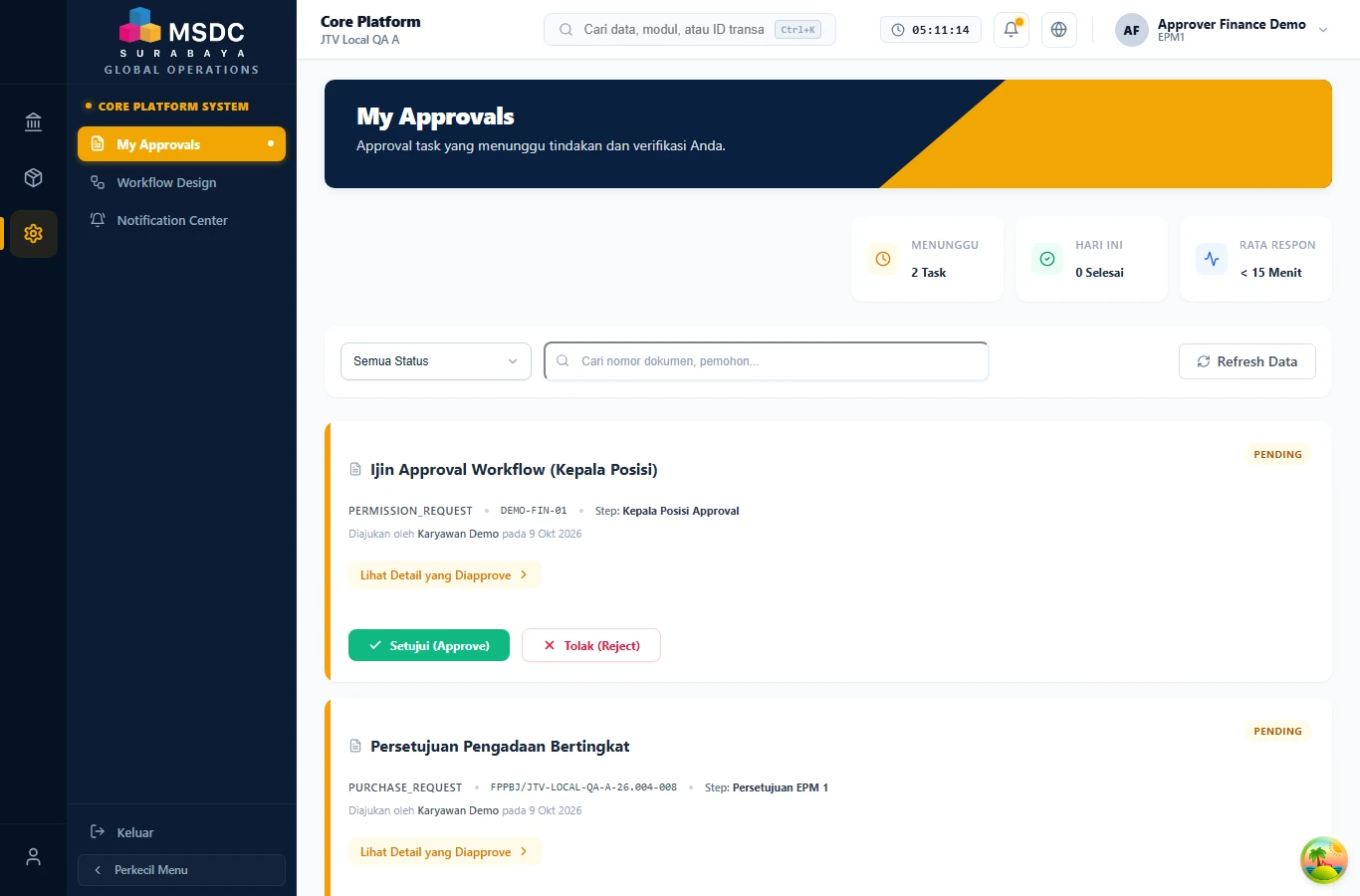
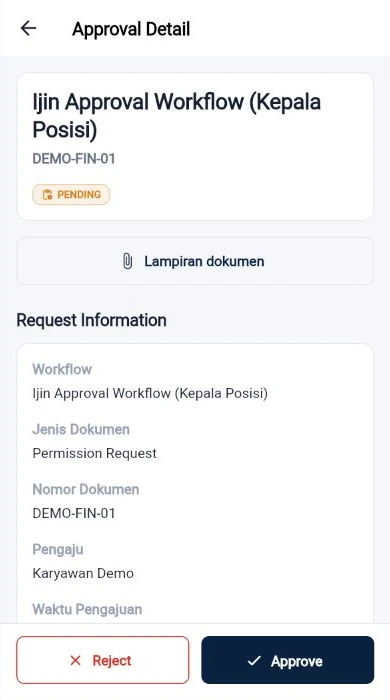
Permission request DEMO-FIN-01 appears as Pending on both platforms.

Approval detail in the mobile app
Approval queue on the ERP website

App screens

Screenshots from local testing with demo accounts and data.

Employee services

Today
Daily attendance
My Requests

Manager workspaces

Operations Manager
HR Manager
Team assignments

What we checked before handoff

  • Local tests confirmed that a check-out after midnight was recorded against the correct shift’s workday.
  • The form preserves input when server validation fails so employees can correct their entries and retry.
  • Request views are scoped to the user’s role and active organization. The team checked that other accounts could not open requests outside their scope.
  • Flutter
  • Dart
  • Laravel
  • REST API